
Searching for a Warrant in South Carolina
South Carolina has no comprehensive public database of active warrants, so the statewide tools each answer a different question. The Judicial Branch Trial Court Public Index locates case information in participating courts, though municipal participation is partial and the tool is not a warrant register. The state's Traffic Ticket Search is a separate service for supported traffic cases. SLED CATCH is something else again. That paid criminal-history check expressly excludes wanted-person information. And SLED CJIS access, along with SCIEx and NCIC, is limited to authorized users. A result in one channel never replaces a status check with the court that issued the process. Knowing the type of matter helps you pick the right door. A bench warrant is court process inside an existing case, often issued after a missed hearing or a violated order. Failure to appear, or FTA, simply means skipping a required court date. Traffic and ordinance matters may sit in a Municipal Court or a Magistrate Court. A General Sessions case runs through the county Clerk of Court and Circuit Court. Family matters follow a Family Court route. The South Carolina Court Roster Search accepts a county, city, or ZIP code and helps you find court contacts. Treat any online hit as a lead. Current warrant status gets confirmed by the clerk and the agency responsible for service, not by the search result alone.
- Use the Court Roster Search to identify the likely county or city court.
- Search the South Carolina Trial Court Public Index for case details where that court participates.
- For supported traffic matters, check the separate Traffic Ticket Search.
- Ask the issuing court and serving sheriff or police office whether a warrant remains active; city cases may require the municipal clerk or police.
- If the online result is unclear, contact counsel and the issuing court before arranging an appearance or payment.
South Carolina Warrant Lookup Case Leads
The Trial Court Public Index finds cases; it does not report warrant status anywhere in South Carolina. Its filters are built for record searches of a different kind. You can narrow by court type or agency, case number, case type or subtype, and party details. A last name or business name can be searched as contains or starts-with. First name, middle name, suffix, party type, action type, CDR code, and indictment number add further ways to filter. Date type and range, tax-map ranges, index type, and cross-index type round out the supported searches. What comes back is a set of case fields: party name and type, case number, filed date, case status, disposition date, case type or subtype, judgment number, and court agency. Read them that way. An open or closed case status says nothing by itself about whether a related warrant was served, recalled, or still stands. South Carolina Judicial Branch help material lists which municipal courts participate, but that list is not a map of every municipal court, let alone of warrant coverage. Use the court agency and case number to reach the record holder directly. A missing entry can mean a nonparticipating court, a sealed matter, or a record living in a local system, so the public index is a route to a clerk rather than the final word. The issuing court or serving agency supplies the actual confirmation. Note: A Public Index match locates a case record; it does not establish that any related warrant remains active.
Warrant Search Fields Explained
South Carolina spreads its search fields across tools built for different jobs. No one form offers a statewide warrant query. The Public Index fields search case records. The traffic tool handles eligible tickets. CATCH covers criminal history, and one sheriff's form shows what a local name query looks like. "Required" here describes only the documented form controls, not a rule binding every South Carolina court or sheriff.
| Channel | Fields | Matching and limits |
|---|---|---|
| South Carolina Trial Court Public Index | Court type and agency; case type/subtype; last or business name; first, middle, suffix; party and action type; CDR or indictment number; date range; index and cross-index options; tax-map range. | Name can use contains or starts-with. Field availability depends on the chosen index. Results are case information, not a complete warrant status. |
| South Carolina Traffic Ticket Search | Citation number; or driver’s license number plus issuing state; or first name, last name, and date of birth. | Each is a separate search path. Coverage is limited to supported Summary Court tickets and participating municipal traffic matters. |
| SLED CATCH | Required: last name, first name, date of birth. Optional: Social Security number. | Starts-with criminal-history search only. SLED says wanted-person information is excluded. |
| Charleston sheriff form | Required last name; optional first name. | One county example only. It has no visible date-of-birth, warrant-number, court, status, or county selector. |
Common names call for care. Separate records with the court, the date, the case number, and the municipality, and never assume two entries describe the same person on a name alone. The official Public Index help and user manual explain its controls; neither turns it into a warrant finder, so South Carolina searchers still confirm with the court.
South Carolina CATCH Warrant Search Limits
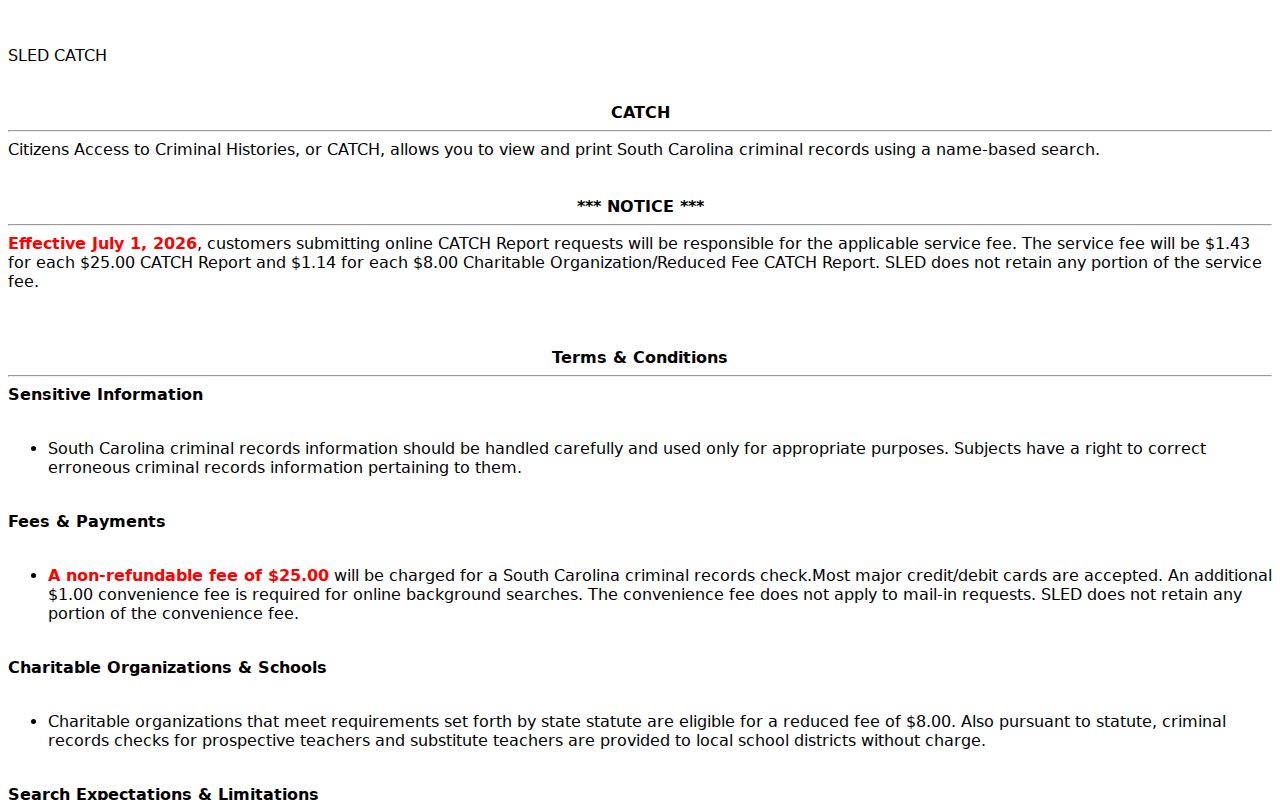
People often mistake SLED CATCH for a South Carolina warrant search because it takes a name and date of birth. It is a paid, name-based criminal-history service. Its own notice says so plainly. Wanted-person information is expressly excluded, so a CATCH response cannot confirm an active warrant or rule one out. The online fee is $25 plus the current service fee; the SLED page lists $1.43 effective July 1, 2026. Eligible charity or school checks pay a reduced $8 fee plus the service fee. The official SLED CATCH service posts its heading, service-fee notice, and terms on one page, and that notice excludes wanted-person information in the clearest terms.
Take a warrant question to the court or to local law enforcement instead. SLED's public CATCH service and its restricted criminal-justice systems serve separate purposes from warrant status. Note: The CATCH service fee sits apart from its criminal-history charge and can change, so confirm the amount on the official page.
What a Warrant Search Shows
Pull up a South Carolina case search and you may see a name, case number, filing date, court agency, and case status or disposition. That is case-record material, not a warrant file. The Public Index does not promise a warrant number, bond amount, service date, or warrant status for every case. A court form shows the kind of details the court itself tracks. Even so, a blank form does not prove that a sheriff's public search displays the same fields.
| Party name and type | Identifies a listed party in a case. Confirm that the case belongs to the right person through the court. |
|---|---|
| Case number | Routes the inquiry to the correct court file. General Sessions and summary-court formats differ; a case number is not a warrant number. |
| Filed date and agency | Can help locate the originating court. A court name or filing date does not confirm current service status. |
| Case status and disposition | Summarizes the case in the index. It may not reflect whether related process remains active. |
| Warrant and return fields | Blank court forms show issuer, command, and service or return fields. A public search may not expose them. |
| Bond condition | May be recorded on court process, but no statewide public listing guarantees a bond field. |
South Carolina case numbers hint at the case type, never the warrant status. General Sessions and Common Pleas identifiers use a year, court letters, a two-digit county code, and a five-digit sequence. Summary-court identifiers in South Carolina use a year, the letter A, a county code, and an eight-digit sequence. No universal warrant-number code exists.
South Carolina Warrant Search No-Result Limits
A blank South Carolina search result cannot establish that no warrant exists. The search may miss the issuing court entirely. The entry may not be public. Or the local office may hold the only current status. Not every Municipal Court takes part in the Public Index, and juvenile records, sealed records, and some investigative material follow separate access rules. A court record issued or updated recently can also lag behind a connected public display. None of that means a warrant is or is not there. Do not lean on CATCH as a fallback. It excludes wanted-person data. The traffic-ticket tool covers only a defined set of tickets. Driver-license status is a separate DMV action. An entry can also be stale or incomplete. No South Carolina agency guarantees that one search checks every county, municipality, and court. So when nothing comes back, write down what you already know: the county, city, likely court, case date, and any ticket or case number. Then ask the issuing clerk and the serving agency to confirm status directly. A careful local check beats repeating a name-only search in systems that never covered the case. Note: Only the issuing court can confirm whether its warrant was recalled, served, or still enforceable.
Where to Check Warrants in South Carolina
Every South Carolina warrant belongs to the record of the court that issued it. Start there. For General Sessions, contact the county Clerk of Court. A Magistrate Court or Municipal Court clerk holds the lower-court records, including local traffic and ordinance matters. Sheriffs serve criminal process. They often coordinate local warrant service too. City police may handle municipal process. South Carolina has no single public office that confirms every court's active warrants. The South Carolina Courthouse Search finds a county or city court. Court Roster Search also routes by county, city, or ZIP. Then use the South Carolina County Directory to reach the right county. A city ordinance or traffic case in South Carolina may need both the municipality and the county, since a city warrant is not automatically on a county sheriff's list. On the phone, ask which court issued the warrant, whether it is still active, the case number and type, any releasable bond terms, and what court-approved step resolves it. Ask the serving agency about service or a voluntary appearance. The clerk explains the record; the agency explains its process. Neither answer should be guessed from a search result.
South Carolina City Court Warrant Checks
A city ticket may point to the municipality first. South Carolina Municipal Courts handle city ordinance cases and qualifying state-law summary offenses, including traffic matters. The municipal clerk keeps the local case record. City police may serve city-court process. A county sheriff's search may not show it. The City of Sumter Municipal Court is one documented example of a split setup: a separate city route for case information and another for traffic, criminal, and warrant payments. Those links do not certify warrant status. The point is that record channels divide, not that one city stands for every South Carolina municipality. For a South Carolina city case, give the clerk the name used on the ticket. Add the approximate date. Include the citation or case number if you have one. Ask whether the matter sits in Municipal or Magistrate Court and whether the court has issued process. If the city routes service through another agency, ask which agency holds the service record. Then verify directly. An online case display is not the last word. Note: A city case search or payment page does not confirm that the court recalled related process.
Restricted Warrants and Access Rules
South Carolina records face public-access rules and firm limits. Trial Court Public Access Rule 10 governs public access to court records and protected information. Juvenile Family Court records are generally confidential under state law, with statutory exceptions. Identifying juvenile law-enforcement information is too. A state grand-jury indictment may stay sealed until custody or release pending trial. Still, not every unserved warrant is secret. Under the South Carolina Freedom of Information Act, Title 30, Chapter 4, a public body may withhold law-enforcement material only where a listed harm applies. Reasonably separable nonexempt portions should be released. The Act works alongside other confidentiality laws. A South Carolina public index entry can therefore expose some case data while protected papers or details stay unavailable.
Access rule: A sealed, juvenile, or protected South Carolina record may not appear in a public search. A missing result does not establish that a warrant is absent, and a public case entry does not certify its current status.
South Carolina keeps some warrant files closed, and the rules say which. Read the court access rule and the SC FOIA statute for the details. Ask the record holder what is releasable before assuming a web page holds the whole file.
South Carolina Warrant Records Offline
When a public case page lacks the warrant record you need, a narrow written request can fill the gap. Send a South Carolina FOIA request to the public body that actually holds the record: a court, county, city, sheriff's office, or SLED. Name the county or municipality, add a case number or date range if you know one, and ask for a releasable warrant, service return, or status record. Keep in mind that a request is not an urgent confirmation channel. South Carolina FOIA allows a 10- or 20-business-day determination window, depending on the request, then a 30- or 35-calendar-day production window after approval. Fees follow actual costs, and lawful redactions or an exemption may apply. That schedule is far too slow for a live warrant check, so call the issuing clerk and the serving agency when status matters now. SLED takes written FOIA requests but has no warrant-specific search form. For a federal case, PACER gives federal docket access, though an unserved federal warrant is not a comprehensive public list. Route a South Carolina state or local case through the court and county directory instead. Note: FOIA deadlines govern records requests, not the time needed to confirm an active warrant.